 Pare Apps
My Day
Your calendar, reminders, workouts, health and photos — together on one timeline.
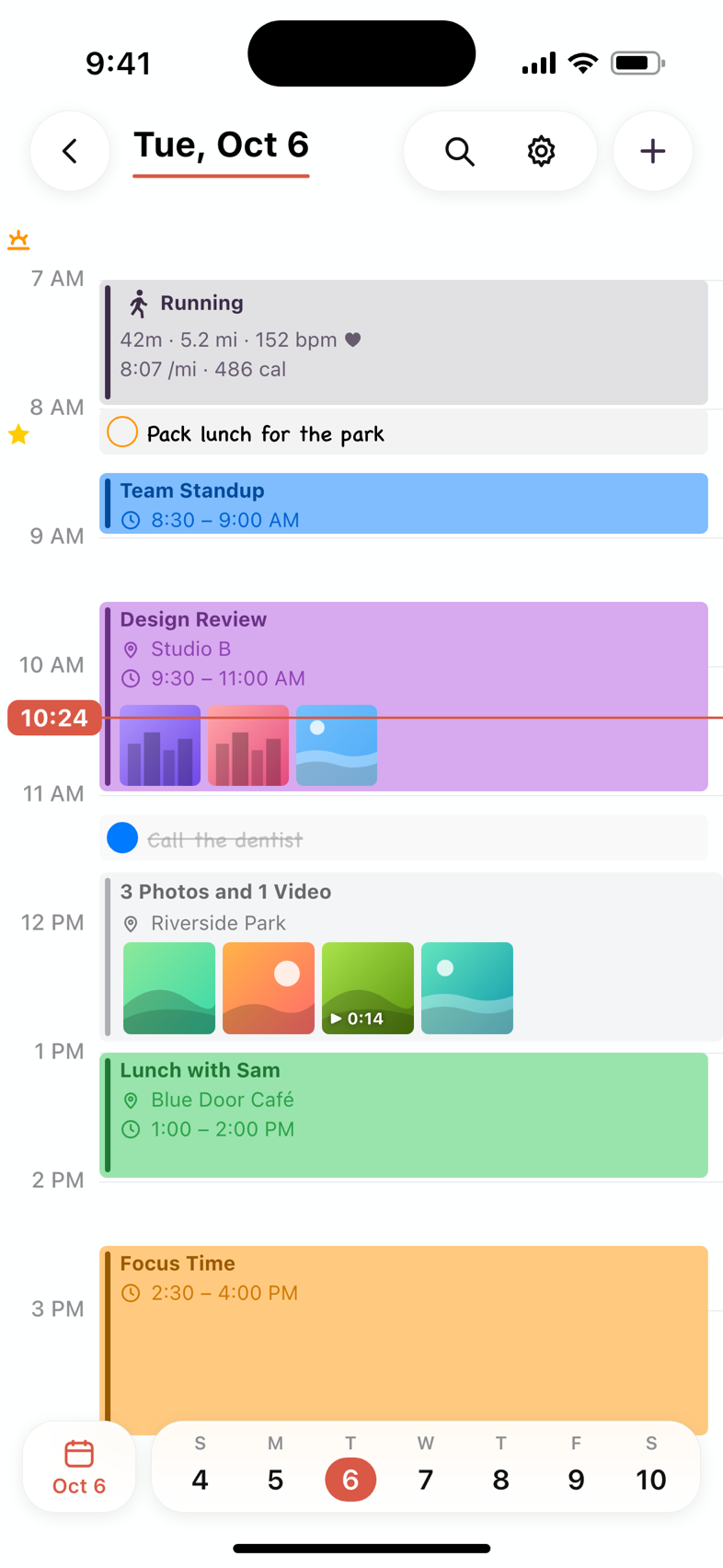
Your whole day, at a glance
Every day is one timeline. Your meetings, the reminders that are due, the run you went on and the photos you took all sit at the time they happened. Swipe between days, or jump back to today in one tap.
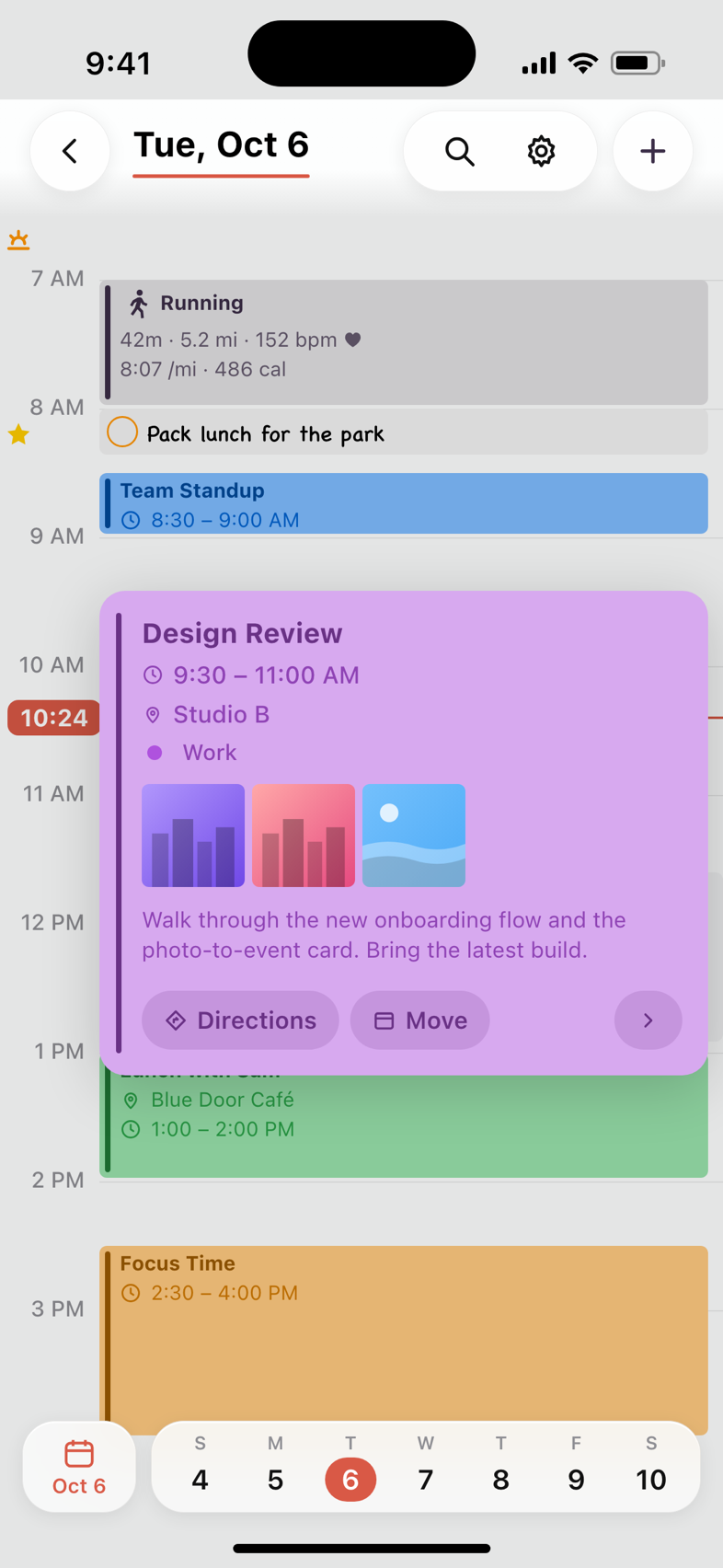
Tap anything for the details
Tap an event and it opens right where it is: the time, place, calendar, notes and any photos you took during it. Get directions, join the call, move it to later or to tomorrow, or edit it — without leaving your day.
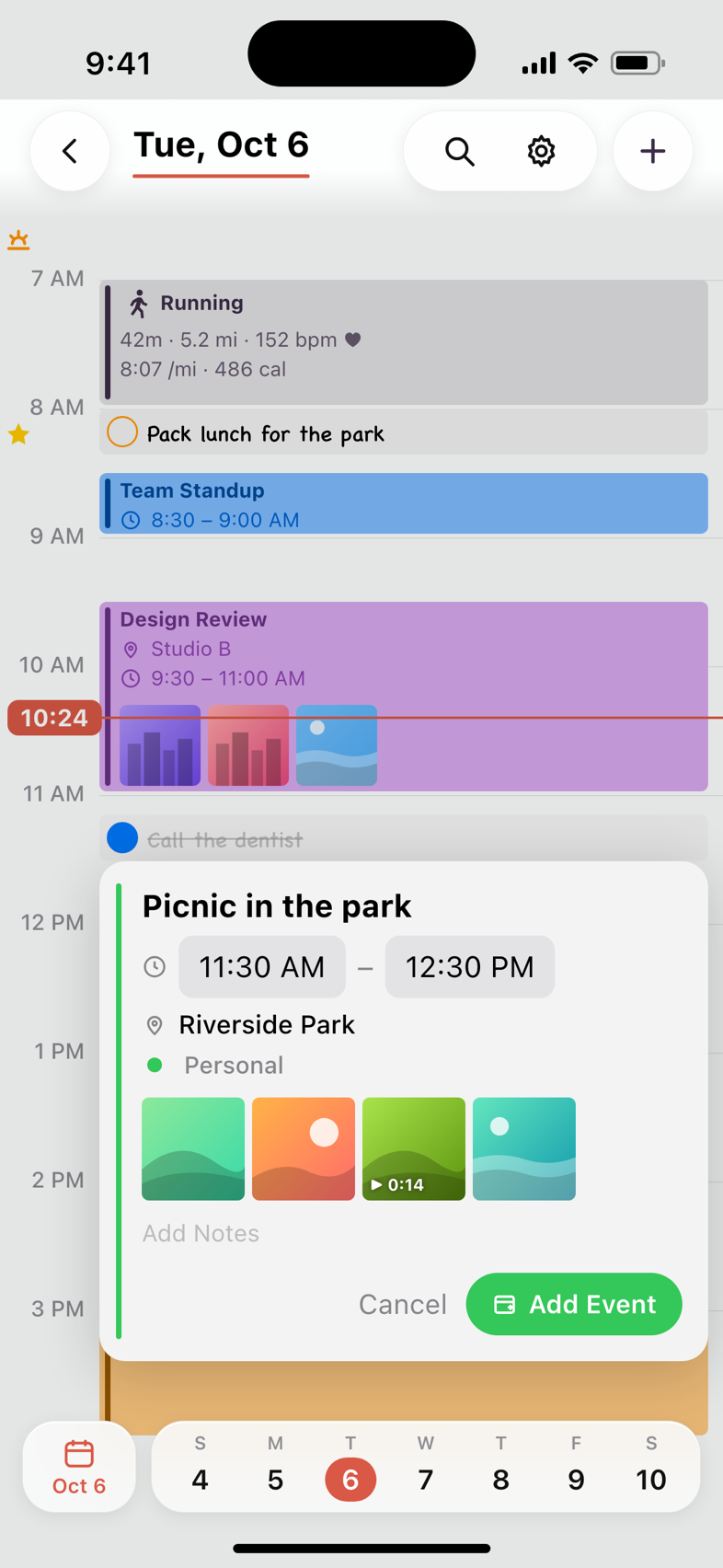
Turn photos into memories
Photos taken outside of any event are grouped on your timeline — “3 Photos and 1 Video” — with where you took them. Tap them to make an event of the moment: My Day fills in the time and place from the photos and saves it to your calendar, with the photos inside.
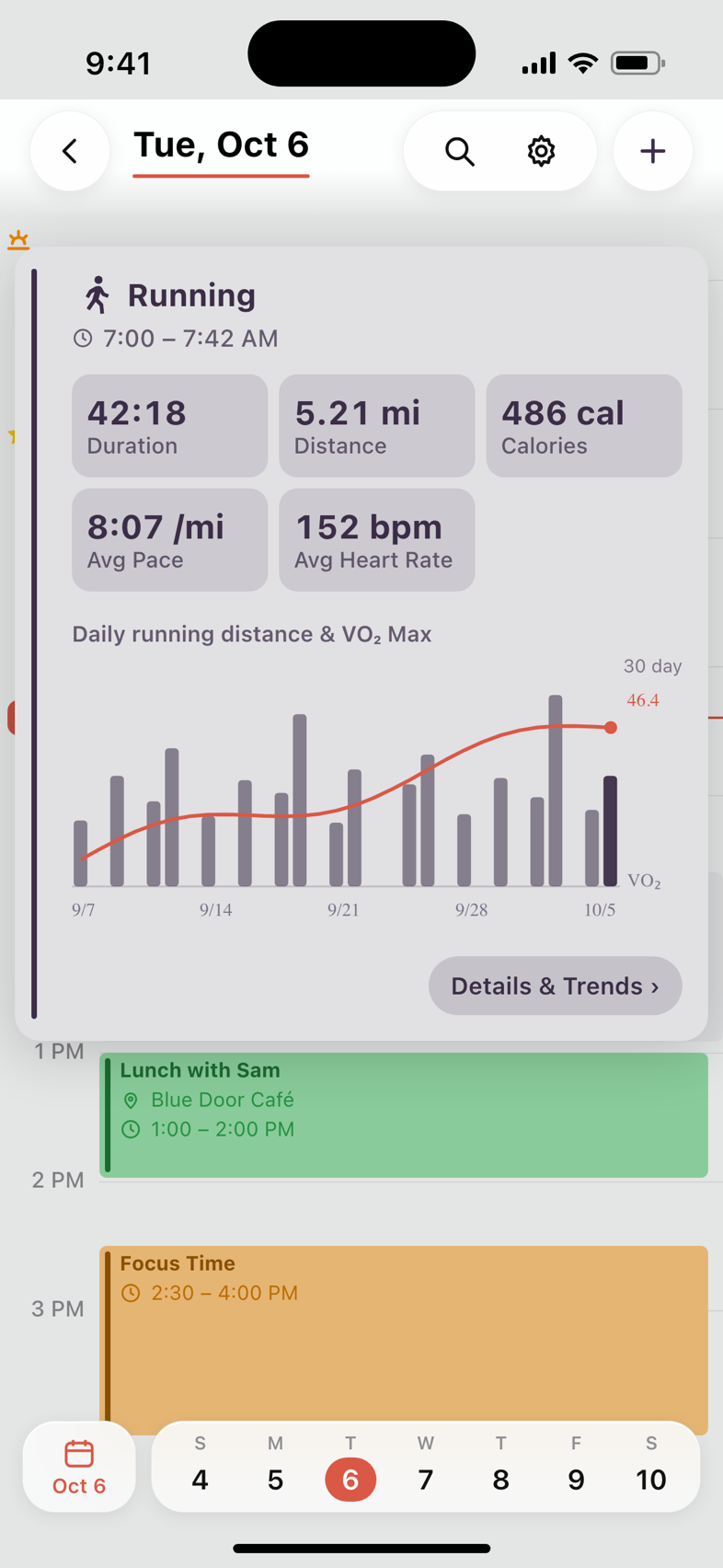
Your workouts, with the trends
Workouts from Apple Health appear on your timeline. Tap one for its duration, distance, pace, calories and heart rate — and 30 days of distance with your VO₂ Max drawn over it.
Reminders, one swipe away
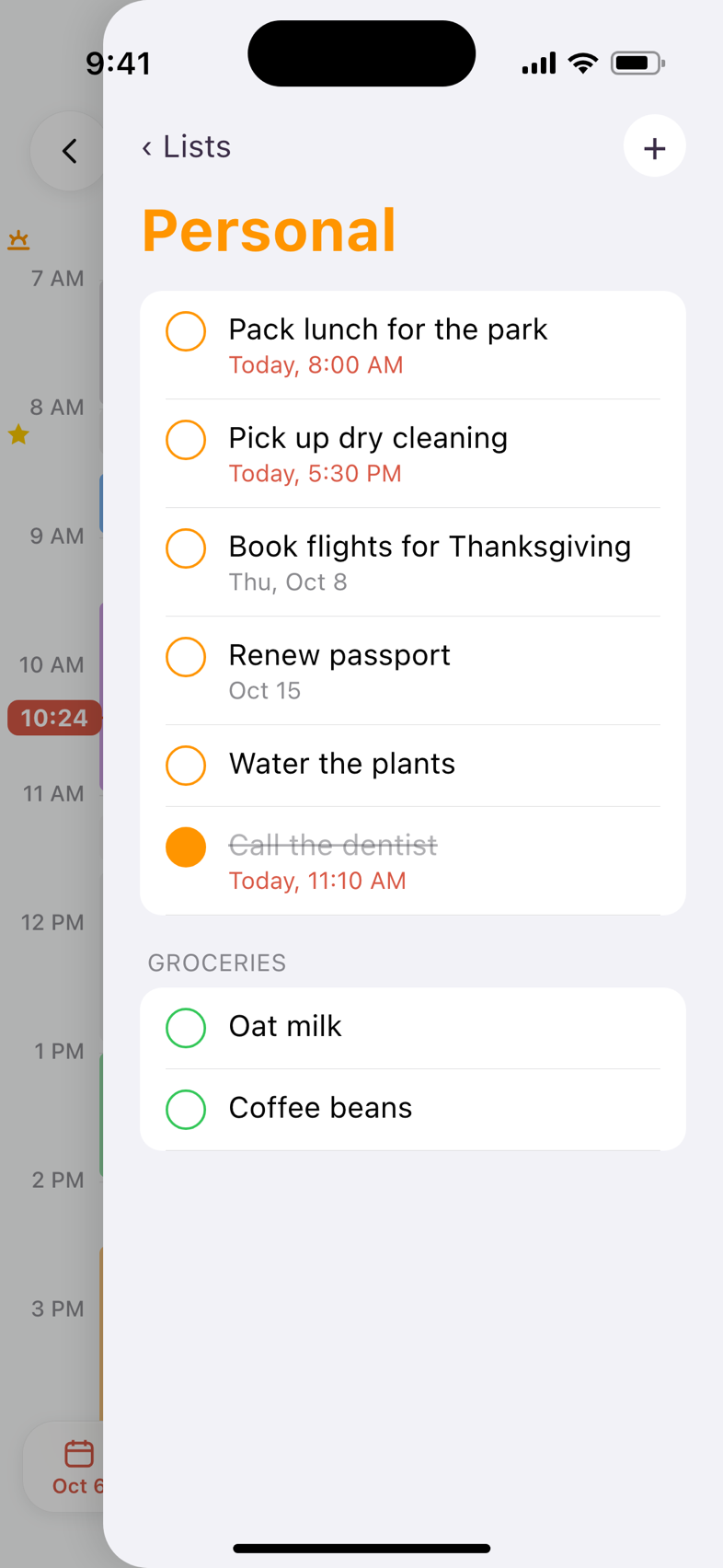
Swipe in from the right edge to bring your reminders over your day. Long-press a reminder on the timeline and drag it to a new time.
Built on what you already use
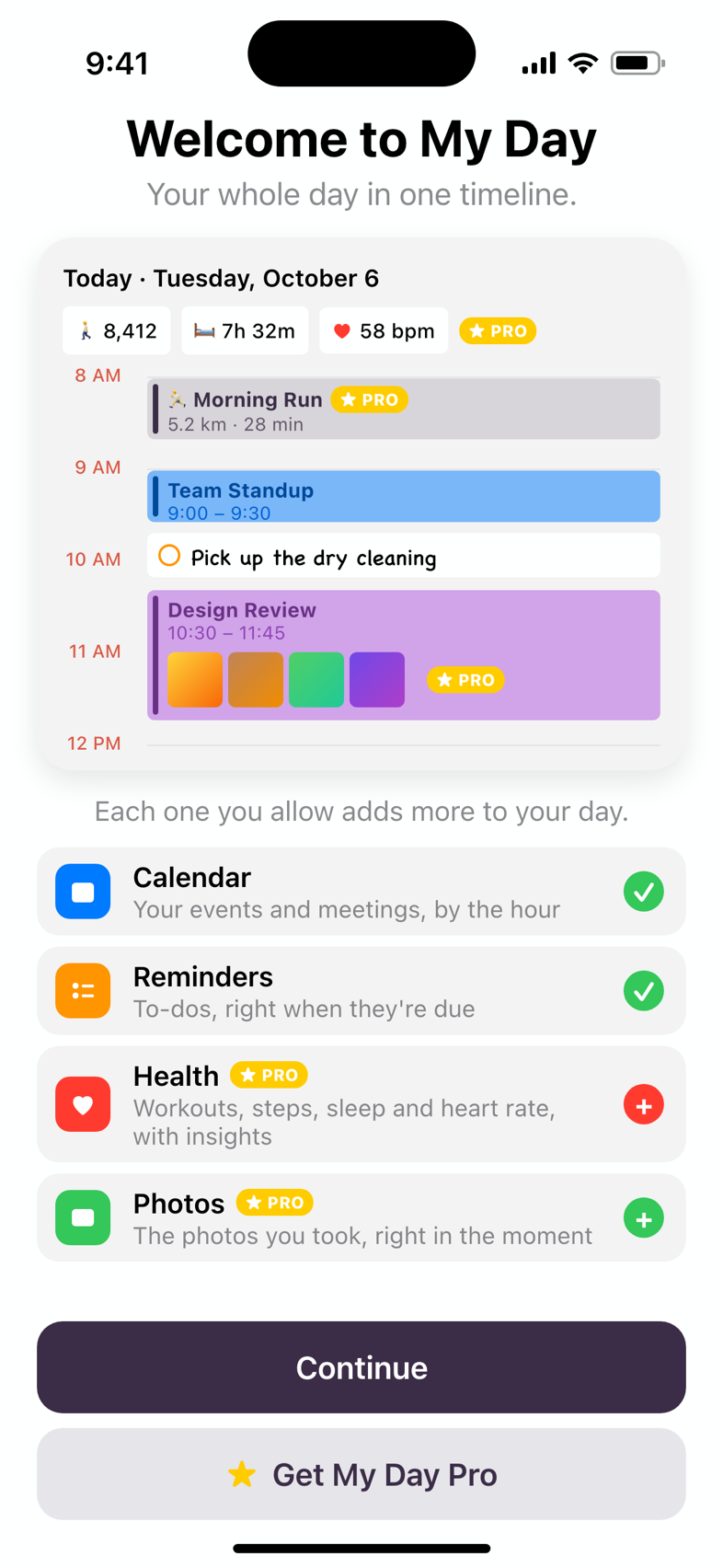
My Day reads from Apple's Calendar, Reminders, Health and Photos — no new account, nothing to import. You choose what it can see, and can change your mind any time in Settings.
My Day Pro ★ PRO
See everything your day held — not just what was on the calendar.
Monthly, yearly and lifetime plans, with prices in the App Store.- 🖼PhotosOn your timeline, and turned into events.
- ♥Health insightsSteps, sleep, resting heart rate, VO₂ Max and HRV, with trends.
- 🏃WorkoutsOn your timeline, with distance, pace and history.
- ↔︎Day swipe animationsChoose how one day turns into the next.
- ▦Health widgetsYour rings, steps, sleep and trends on the Home Screen.
Home Screen widgets
Today, Agenda and My Day widgets — plus the Health widgets with Pro.
Siri and Shortcuts
“Show my day in My Day”, or jump to a day: “Show me yesterday in My Day”.
Light and dark
Looks at home in either appearance.
Start seeing your whole day.
My Day is coming soon to the App Store.